
Stop using cat
Table of Contents
If you use cat in your daily workflow, this is a tiny upgrade with lots of upsides and honestly, no downsides aside from you need to install it as it’s not native.
What is bat?
bat is a cat alternative with syntax highlighting and line numbering to name a few features while being a drop in replacement to workflows you have that use regular cat.
Install
          # macOS
brew install bat

# Ubuntu / Debian
sudo apt install bat

# via installation script
curl -s https://sh.rustup.rs | bat
Just FYI, once it’s installed, on some Linux distros, the binary is named batcat.
Six practical ways to use bat
By default you get all the bat goodness when you don’t specify any flags. Syntax highlighting, line numbering etc. Here’s some common use cases.
Read config files quickly
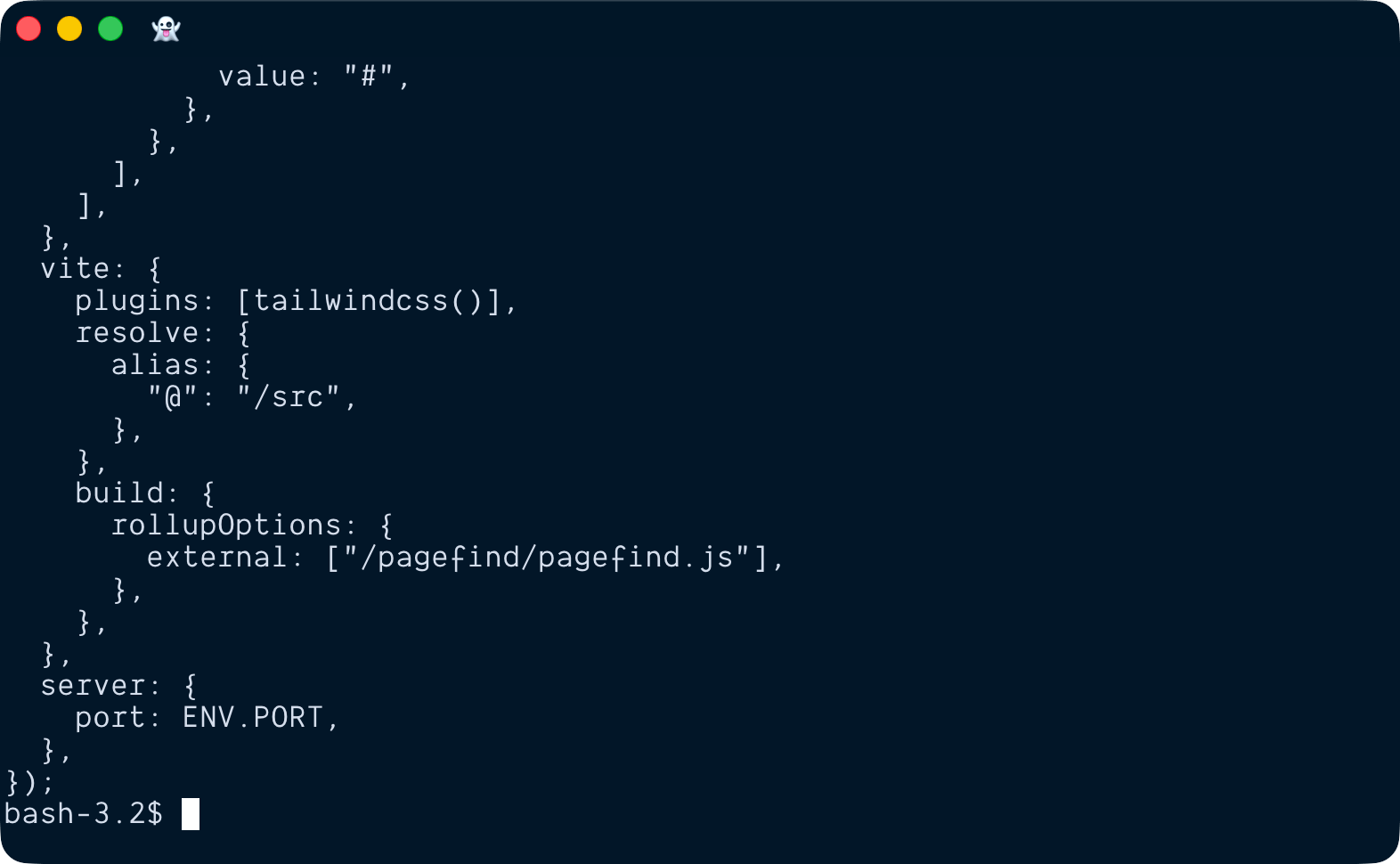
bat ./astro.config.mjs
With cat:
With bat:
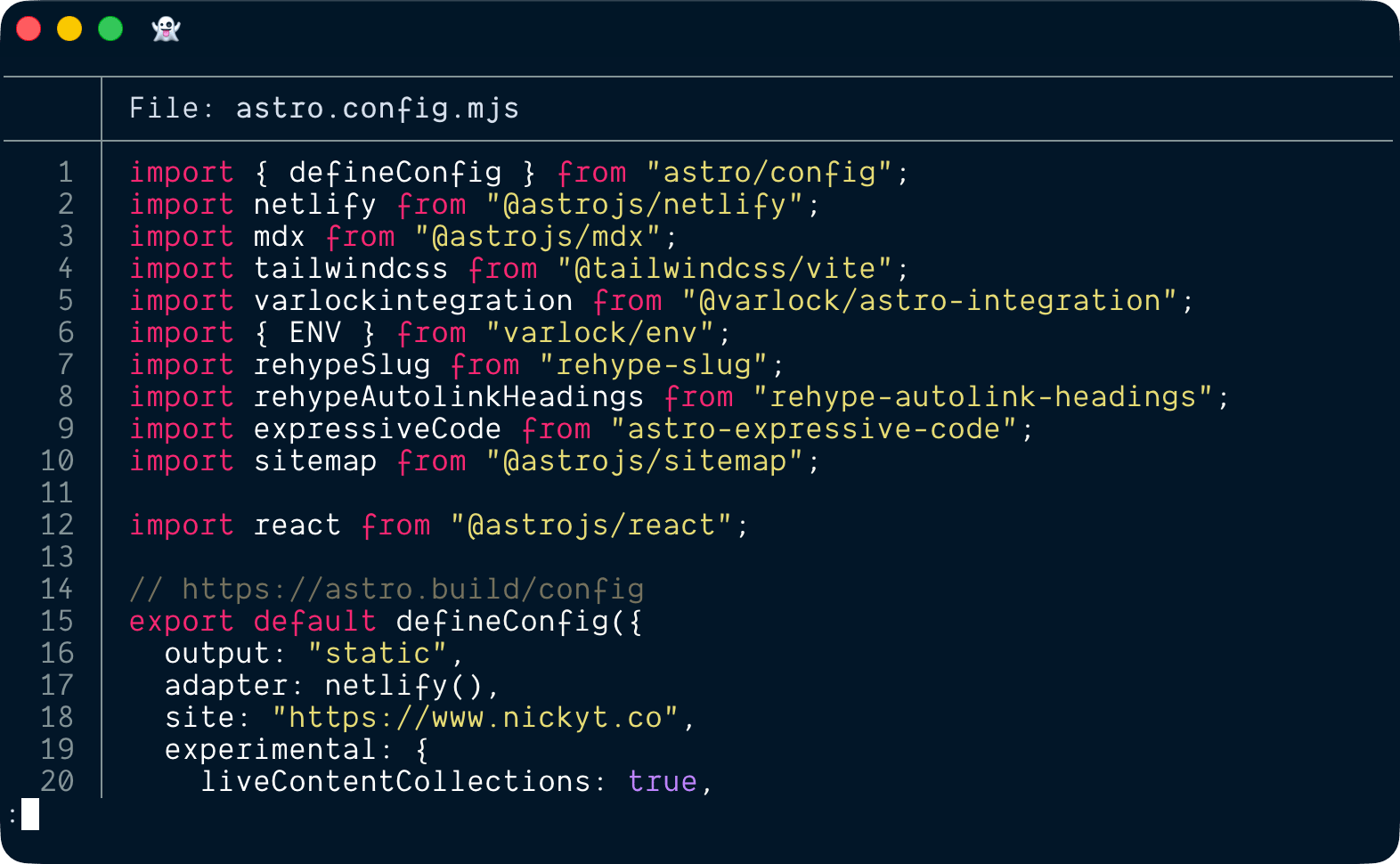
You get visual structure without opening an editor.
Show line numbers while debugging
bat -n src/server.ts
Line numbers make it much easier to point teammates to exact spots in a file.
Use plain mode for logs or scripts
bat -p logs/app.log
-p strips the decorations when you want cleaner output.
Focus on a line range
bat --line-range 40:120 src/index.ts
Great when you only need one section of a file.
Quickly review changed files
git diff --name-only | xargs bat
Useful for a quick scan of touched files before a commit or review.
Navigate large files with a pager
bat large-file.log
bat automatically pipes output through a pager like less when the file is longer than your terminal window. No need to manually pipe to less like you would with cat.
Should you alias cat to bat?
I alias it, because YOLO, but if you do run into issues, just alias it to something other than cat, or not at all.
alias c='bat'
TL;DR
bat is one of the easiest terminal upgrades you can make. If you read code, logs, or config files in the terminal every day, switching from cat to bat is a no brainer.
If you want to stay in touch, all my socials are on nickyt.online
Until the next one!